Zero your Apple Account balance · iPhone & iPad
Burn your Apple Account balance to exactly zero.
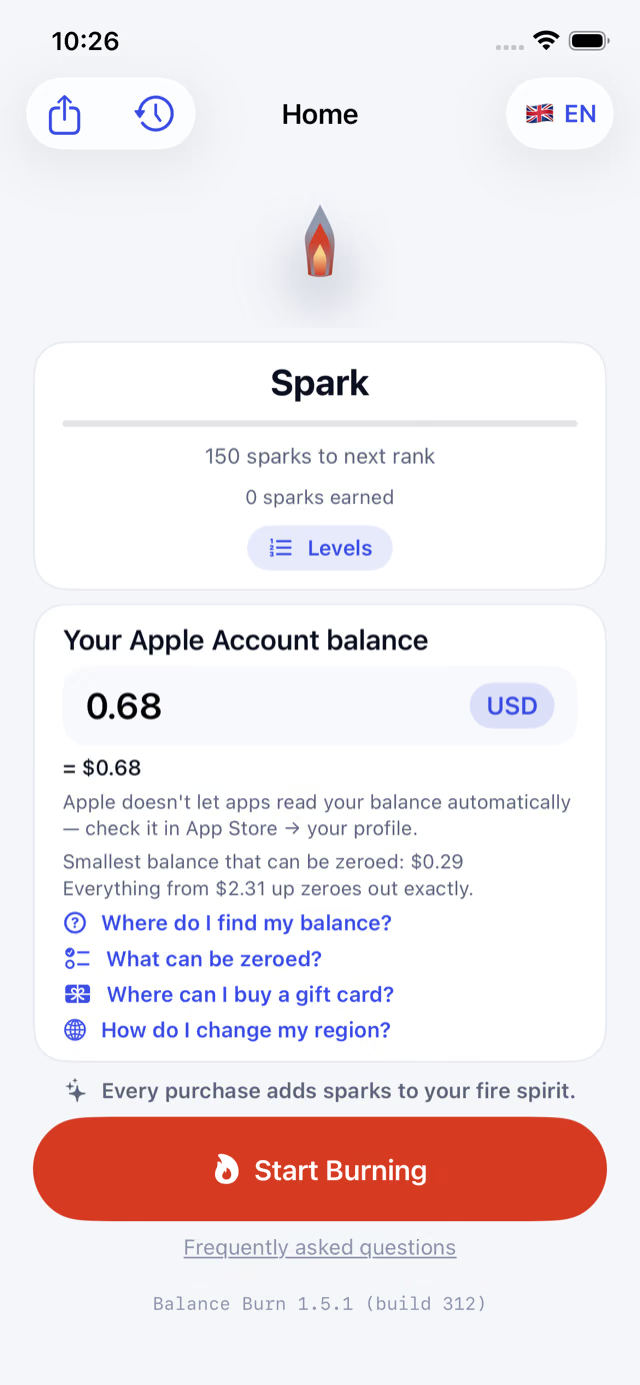
Type in what's left on your account. Balance Burn picks in-app purchases that add up to exactly that amount — to the last cent. Confirm them, the balance hits zero, and you're free to change your region.
Price sets tuned for the US, Russia, Kazakhstan, Türkiye, Romania, Hungary, Poland and India — so your balance lands on zero, not next to it.
iOS 16 or later · iPhone and iPad
Why not just buy something?
Buying by eye leaves a tail. Balance Burn doesn't.
Without Balance Burn
You buy an app or an in-app item that looks about right. A little is left over. You top up to buy something else, and a new remainder appears. And again.
With Balance Burn
You type in your balance once. The app picks one set of purchases that adds up to exactly that amount. You confirm, and the balance reads zero.
How it works
Three steps from your balance to zero.
Type your balance
Enter the amount your Apple Account shows. Not sure where to look? The app shows you.
Get an exact set of purchases
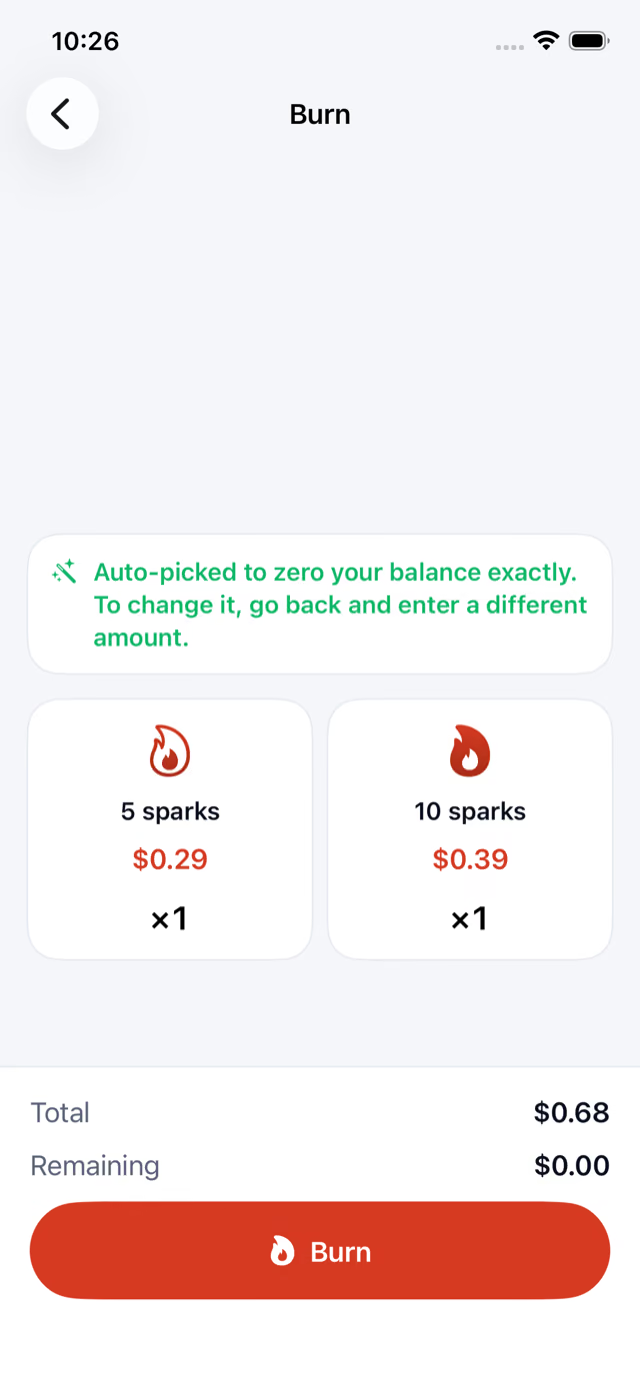
Balance Burn picks purchases at your own App Store's prices that add up to exactly your balance. You see the whole plan before anything is bought.
Confirm — you're at zero
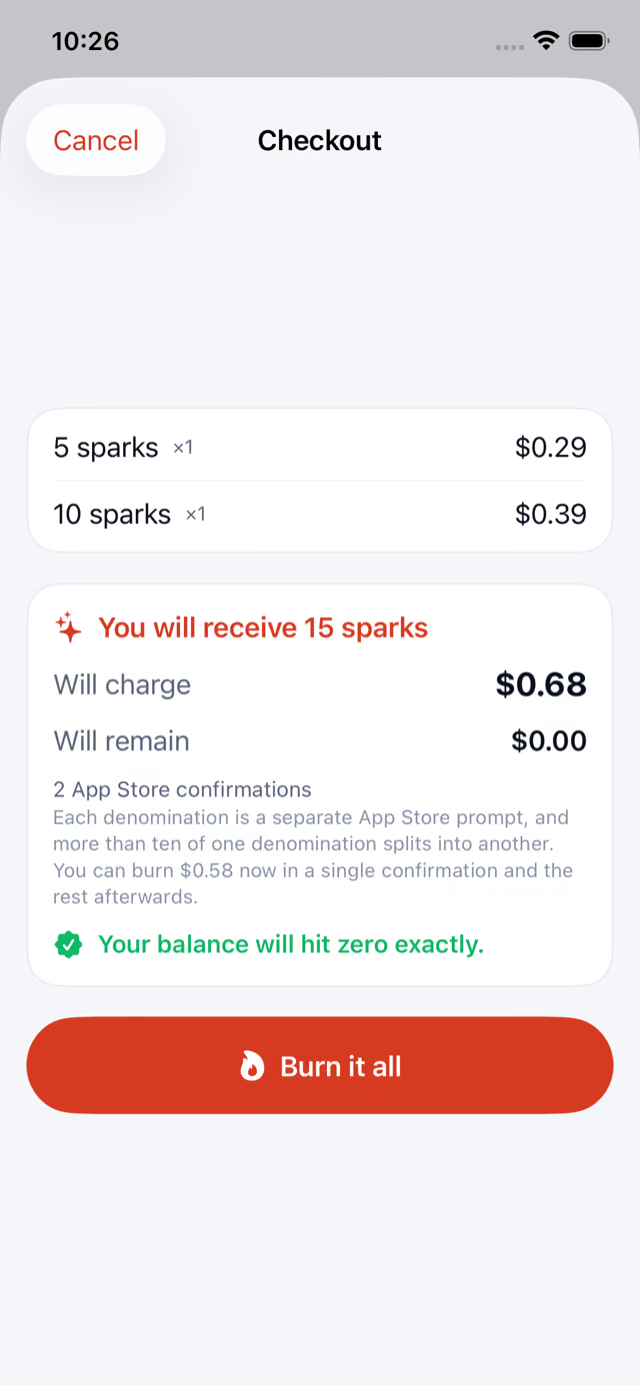
Approve the purchases in Apple's usual payment sheet. When the last one goes through, your balance is zero and the region change is open.
Some amounts can't be hit exactly. If yours is one of them, Balance Burn tells you how much to top up — with a gift card, for example — and then burns the new total to zero.
A real example
Balance $0.68 → two purchases: $0.29 + $0.39 → $0.00 left.
Also in the app
Everything for the move, in one place.
Help for the whole move
Short guides right next to the balance field: where to find your balance, where to buy a gift card, and how to change your region once you're at zero.
iPhone and iPad
Made for both — on iPad with a roomy two-pane layout, in portrait and landscape.
English, Russian, Spanish
Switch the app's language in a tap, right inside the app.
See every feature.
A little bonus
Your balance feeds a fire spirit.
Every purchase adds sparks to a fire elemental that grows from a Spark all the way to a Phoenix. Share its rank when you're done.
Get it now
Get your balance to zero today.
Free on the App Store. Have a question first? The FAQ has quick answers.
iOS 16 or later · iPhone and iPad