
Mac app · macOS 26+
The Mac screenshot app for your fifth capture of the day.
ShotSumo freezes the screen, you drag out the region, mark it up, and one keystroke puts a flat PNG on the clipboard — ready to paste into the chat, the email or the ticket you were already writing. Nothing lands on your desktop, and nothing is uploaded anywhere.
- Requires
- macOS 26+
- Lives in
- The menu bar
- Region capture
- ⌘⇧9
- Price
- Free; ShotSumo Pro $9.99 a year
Capture · Mark · Paste
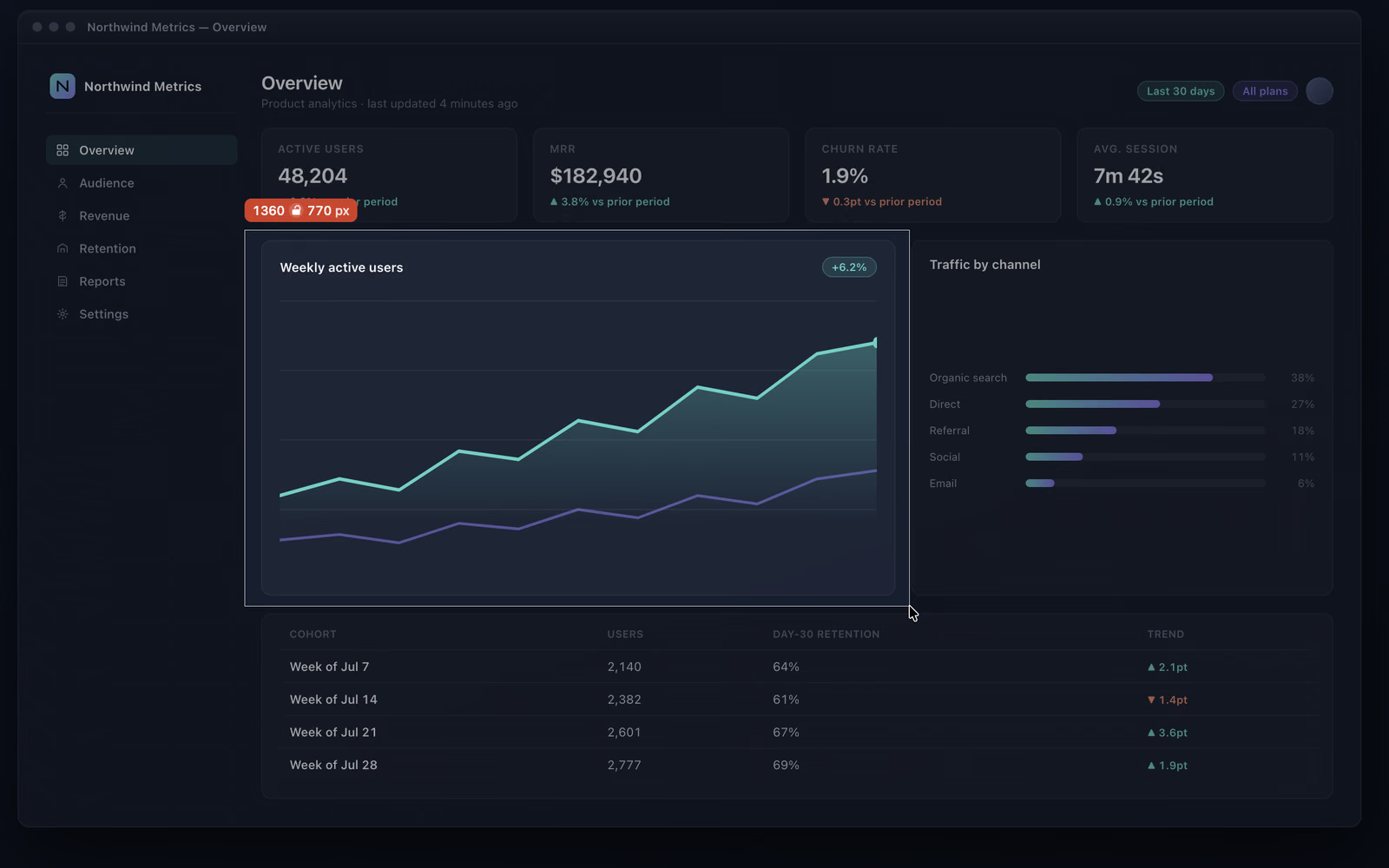
The screen freezes first. Then you draw the rectangle.
Press ⌘⇧9
The screen is captured the moment you press the key, so an open menu or a hover state is still there when you drag the rectangle out — and the overlay itself never lands in the shot. Letting go doesn't take the shot: the rectangle stays put, with grips to resize it and room to nudge it, until Return captures it — or ⌘C and ⌘S right there, no editor. Capture Same Region Again re-shoots the last rectangle without aiming; window and full-screen capture are there too, on hotkeys you assign.
The editor is already open
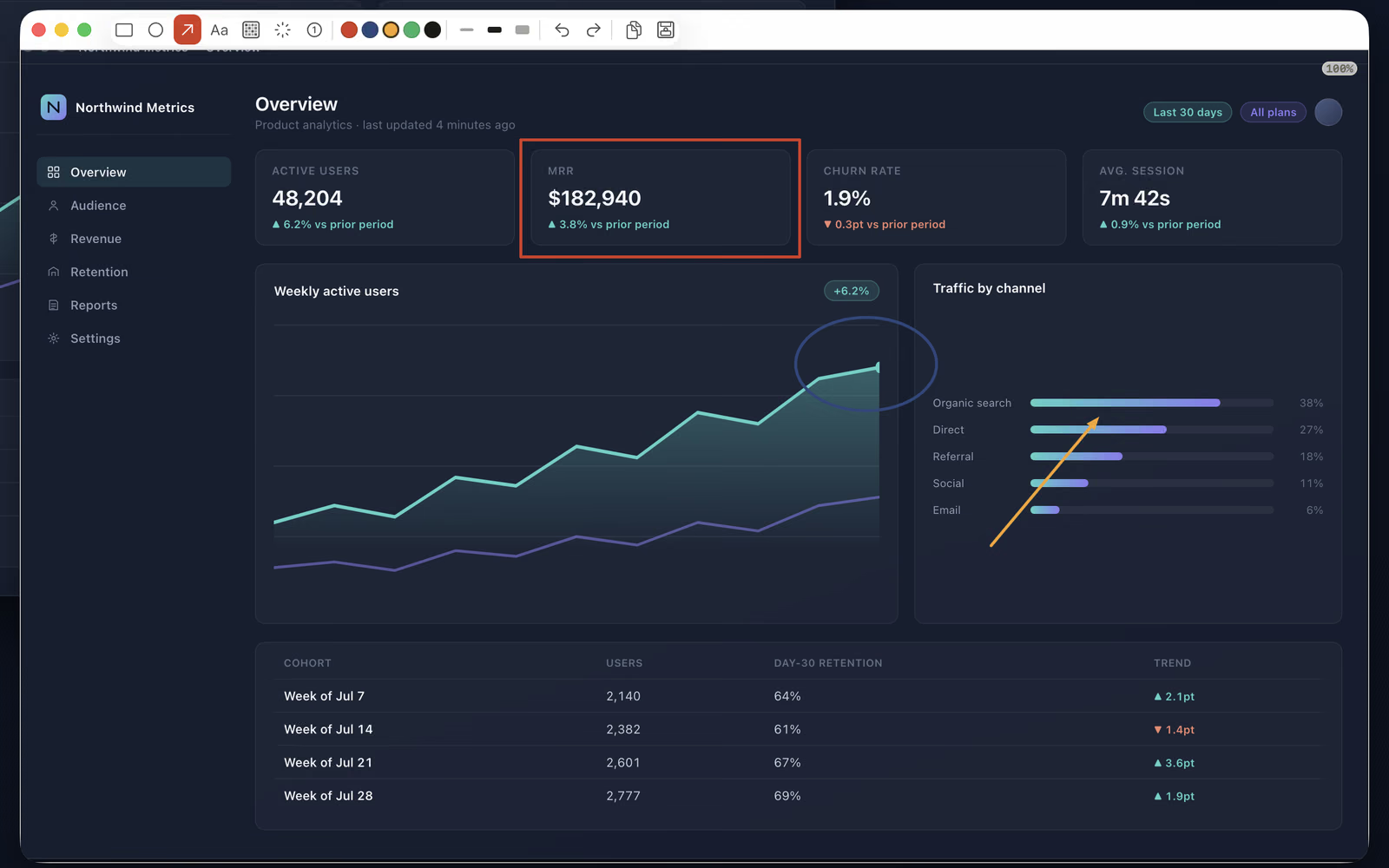
Every capture opens straight into the annotation editor. Point at the thing with an arrow, box it, add a caption, spotlight it, number the steps, or pixelate the part that shouldn't be shared. No file to go and find, no second app to launch.
⌘C, then paste
Copy puts a flattened, full-resolution PNG on the clipboard and closes the editor behind you. You are back in the window you came from with the picture ready to go.
The daily loop
Where the built-in Mac screenshot shortcut runs out.
It is perfectly good once a week. The friction only shows up when capturing the screen is something you do three or five times a day.
Files you never wanted
Every capture becomes a file whether the picture was going anywhere but a chat window or not. Paste it, then go back and clean up after it. Twice a week that's nothing; five times a day it is housekeeping.
A screen that moves while you aim
Selection happens on the live screen, so the menu or hover state you were trying to capture can collapse under the click that starts the drag. ShotSumo takes the picture first and lets you aim at it afterwards.
Marking up is a second trip
One arrow and one blurred token mean opening the file elsewhere, drawing, exporting, and then finding the export. ShotSumo opens the editor as part of the capture, and the result leaves as a paste rather than a file.
The editor
Annotate the screenshot, then pixelate what shouldn't leave your Mac.
Seven tools: rectangle, ellipse, arrow, text, pixelate, spotlight and step badges. Most keep their own colour and stroke width, and the editor can start each capture on the tool, colour and width you used last. Undo, redo and zoom are where you expect them.
Text is one short caption on the picture — "this button", "it crashes here" — so the meaning stays on the image instead of in the next message. It is drawn with a contrasting outline so it reads over any background, and it stays movable and editable after you place it.
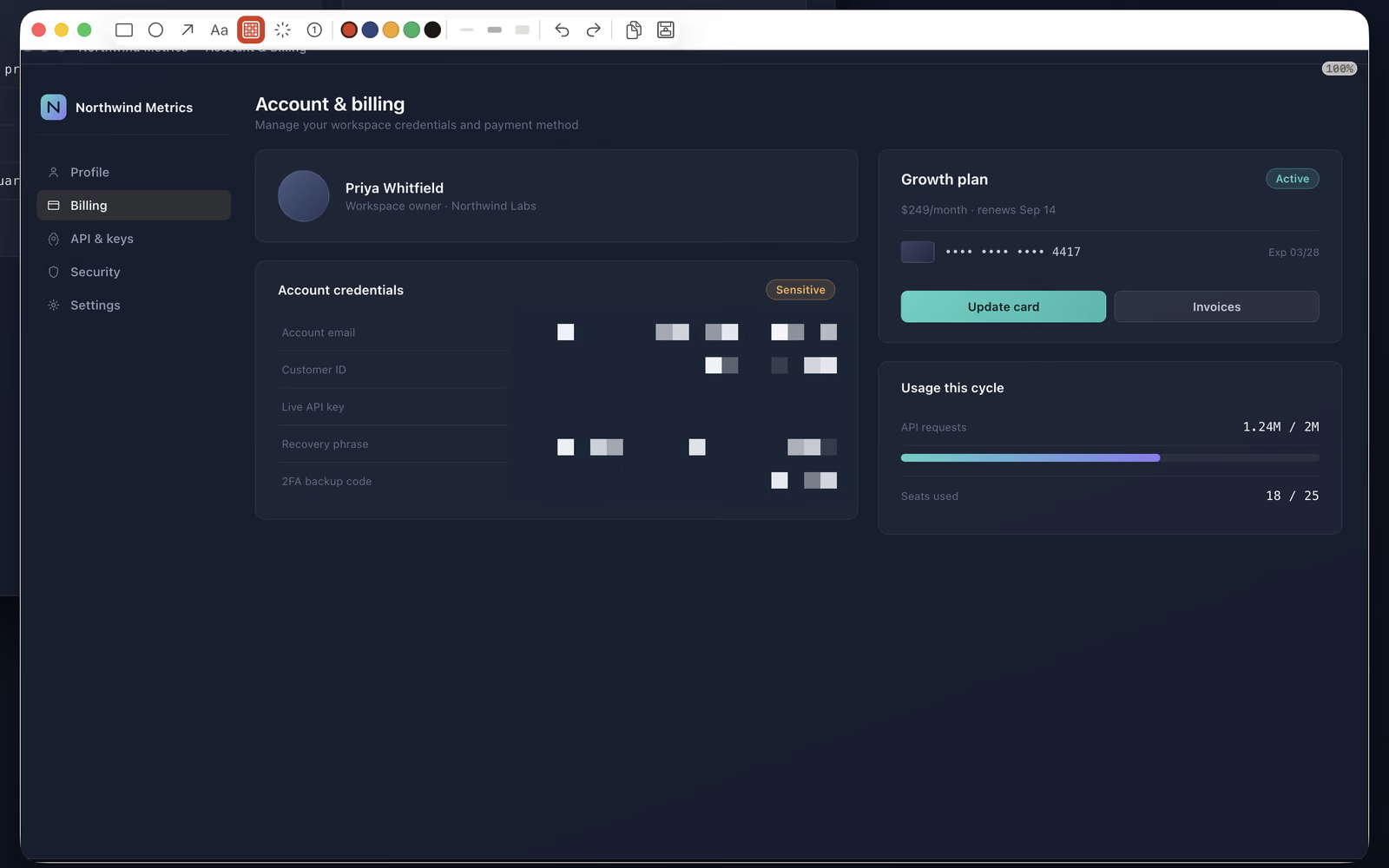
Pixelate rewrites the pixels before anything is exported. A key, a name or an account number is gone from the picture, not covered by a shape that someone could drag off.
Where the picture goes
⌘C copies a full-resolution PNG to the clipboard.
Whatever format you save in, copy is always a flattened PNG at native resolution — the thing chat apps and documents actually accept from a paste.
- Clipboard
- Flattened PNG
- Saves as
- PNG (AVIF or HEIC with ShotSumo Pro)
- Folder
- The one you choose
- After copy or save
- The window closes
⌘S asks once, in the standard macOS dialog, where files
should go; every save after that lands there with no dialog, named
ShotSumo_yyyy-MM-dd_HH-mm-ss. ShotSumo never picks a folder on your behalf.
ShotSumo saves as PNG by default. ShotSumo Pro adds AVIF, at roughly a twelfth the size of
the same picture as a PNG, and HEIC, at around a quarter — on a screenshot, flat colour and
sharp text rather than photographic detail, the loss doesn't show. The
features page has the measured sizes.
The editor closes itself after a copy and after a save, which is what makes the loop feel like one keystroke. Both are toggles in Preferences if you would rather it stayed open.
What it costs
Capture and markup are free. Permanently.
No account, no time limit, and no watermark. ShotSumo Pro is one optional subscription that adds four editor tools — everything else stays free.
- Free forever
- Capture, annotate, copy, save as PNG
- ShotSumo Pro
- $9.99 a year
- Pro trial
- Two weeks, free
- Watermark
- None
Already had ShotSumo before version 2.0? You keep the four ShotSumo Pro tools unlocked, for good — the subscription applies only going forward.
For everyone else, ShotSumo Pro is an auto-renewing yearly subscription, charged to your Apple ID at confirmation and renewing unless auto-renew is turned off at least 24 hours before the period ends. Manage or cancel it in your Apple ID subscription settings; Restore Purchases in the app re-checks your access if it is ever asked for again. There is no ShotSumo account — the App Store purchase is the whole of it. Full conditions are on the terms page.
Decided, not missing
What ShotSumo doesn't do, and won't.
- NOCloud storage or share links. No uploading a picture to get a URL back. The screenshot stays with you and goes where you paste it.
- NOAn account. No sign-up, no licence key, no sync, no team workspace.
- NOScreen recording, GIF or video. This is a still-picture tool, and a recorder is a different program with different problems.
- NOText recognition. ShotSumo hands you the picture; it does not read it back to you.
- NOBackgrounds, device frames and gradients. Nothing here exists to make a screenshot look like a product launch.
Scrolling capture, a history of recent captures and a highlighter are not in the app today. That is not a never — they may show up in a future release.
Fit
Who this is for, and who should look elsewhere.
Worth installing if
You capture your screen several times a day, and the picture's destination is a message, an email, a bug report or a document. You want a keystroke, one mark, and a paste — and you would rather the screenshot never left the machine.
Look elsewhere if
You need a whole scrolling page in one shot, a screen recording, a link to send instead of a picture, or the text pulled out of an image. Those are a different class of tool, and this one is not quietly pretending to be one.
The system facts
A menu bar app for macOS 26, sandboxed, with nothing to sign into.
- Requires
- macOS 26 or later
- Distribution
- Mac App Store only
- Sandbox
- Apple's App Sandbox
- Account
- None
- Telemetry
- None
Screen Recording permission is required — macOS demands it of anything that can read the screen — and it takes effect after one relaunch. ShotSumo has no networking code of its own: the only traffic is Apple's own purchase system checking your subscription, and it never touches your screenshots. There are no ads, no analytics and no third-party SDKs. Detail is in the privacy policy.
Get it
ShotSumo is free. Try it today.
Install it, press ⌘⇧9, and see whether the fifth capture of the day still feels like work.
More detail if you want it: the full feature list, the FAQ, or the feedback form, which goes straight to the person who writes the code.